
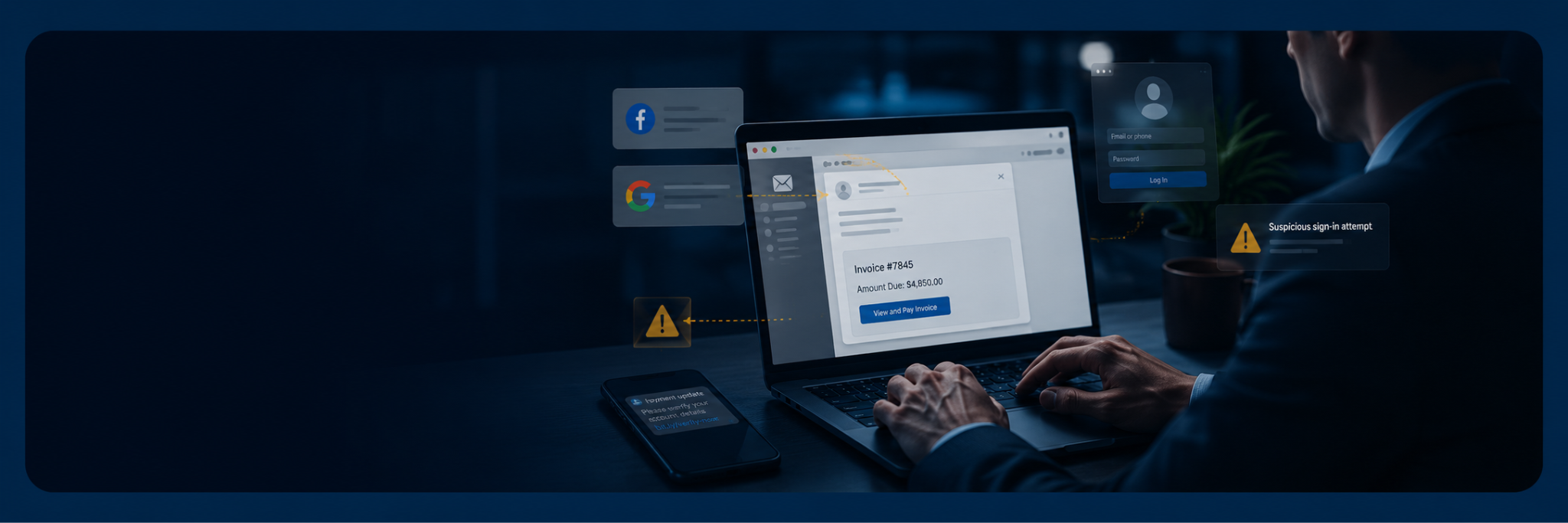
Most business owners think phishing scams only work on careless users. But modern phishing attacks are designed to exploit trust, urgency, and familiarity, not just mistakes. Even Facebook and Google, companies with world-class security teams and resources, were tricked by a sophisticated phishing and invoice fraud scheme.
The well-known Facebook and Google phishing attack is a reminder that phishing scams are not just fake password reset emails. Today’s attackers use social engineering, forged invoices, fraudulent emails, fake login pages, and business email compromise (BEC) tactics to make their requests look legitimate.
For small and medium-sized businesses in Upstate South Carolina, the lesson is simple: you do not need to be a global company to be a target. You just need email, invoices, vendors, and employees who are busy.
| Key takeaways – Even the biggest companies can be deceived. The Facebook and Google phishing attack demonstrates that sophisticated phishing scams target business processes and human trust, not just technical vulnerabilities. – Phishing attacks rely on urgency and impersonation. Attackers use fake invoices, spoofed email addresses, and convincing requests from executives or vendors to trick employees into revealing credentials or approving fraudulent payments. – A strong defense combines employee awareness, multifactor authentication (MFA), email security, endpoint protection, regular software updates, and verification procedures for financial transactions. – Verifying sender addresses, checking URLs before clicking, confirming payment requests through a trusted communication channel, and reviewing account activity regularly can significantly reduce your organization’s risk of phishing and BEC. |
What was the Facebook and Google phishing attack?
According to the US Department of Justice, a Lithuanian man named Evaldas Rimasauskas helped carry out a BEC scheme that caused two US-based internet companies to wire more than $100 million to bank accounts he controlled. The DOJ later identified the case as involving fraudulent emails, forged invoices, contracts, false corporate stamps, and documentation designed to impersonate a legitimate Asia-based vendor.
Public reporting later identified the victim companies as Google and Facebook. Google reportedly lost about $23 million, while Facebook lost about $100 million before much of the money was recovered. The scam worked because the emails purported to come from a real supplier, Quanta Computer, and the requests appeared to match normal business activity.
This was not a flashy technical breach; it was a process failure. The attackers understood how large companies approve multimillion dollar transactions, and used that knowledge to make fraudulent phishing emails look legitimate.
Why phishing attacks still work
Phishing attacks succeed because they target trust. An email may look like it came from a CEO, vendor management team, support agent, or known business partner. The request may ask for a wire transfer, updated bank account details, a password reset, or access to email accounts.
According to the FBI, business email compromise ranks among the costliest cyber crimes today. BEC scammers target the everyday tools businesses use to communicate and transfer funds, which then allows them to exploit existing workflows and cause significant financial damage. The agency also warns that phishing messages often appear to come from legitimate businesses and may direct users to fake websites that collect personal details or login credentials.
That is what makes these attacks difficult for the average user. The email does not always look suspicious. It may use the same name as a real vendor, reference a real project, or include contracts and invoices that look professional.
Attackers also create urgency. A message might say funds must be sent immediately, a Facebook page will be locked, or a Google account has been compromised. That pressure is intentional. It pushes employees to act without taking time to verify the request.
How to spot phishing emails before damage is done
The best security habits are simple, but they have to be consistent.
Start by checking the sender address, not just the display name. Scammers often create email accounts designed to look almost identical to a trusted company. One missing letter, an extra dash, or an unfamiliar domain can be the only warning sign.
Next, inspect links before clicking. Phishing emails often send users to fake login pages that look like Google, Facebook, Microsoft 365, or another trusted service. Once users enter their password, attackers can use that account access to steal data, send more fraudulent emails, or move deeper into the business.
Be especially cautious with payment changes. If a vendor suddenly asks you to update bank accounts, confirm the request through a known phone number, not the contact information in the email. The FBI recommends verifying payment and purchase requests in person or by phone, especially when the sender is pressing for quick action.
The same rule applies to executives. CEO fraud works because employees do not want to delay an urgent request from leadership. But any unusual wire transfer request should go through a second approval step.
| Related reading: Why identity is the new internal highway for cyberattacks |
How Google and Facebook scams apply to your business
Your company may not process the same large volume of payments as Google and Facebook, but the tactics attackers use are the same.
Attackers look for employees with access to money, email accounts, vendor records, or sensitive personal details. They may impersonate suppliers, payroll services, banks, IT support, or executives. In some cases, scammers compromise a real account first, then use that trusted mailbox to send fraudulent emails to employees, clients, or partners.
This is why phishing protection cannot depend on training alone. Employees need education, but they also need cybersecurity measures that reduce the chance of a single mistake turning into wire fraud, aggravated identity theft, or money laundering exposure.
Practical ways to protect your business
No single solution can stop every phishing attack, but combining the right technology with smart security practices can significantly reduce your risk.
- Start with MFA or two-factor authentication (2FA) on every important account. MFA adds another security layer, so a stolen password alone is less likely to give attackers access.
- Use modern email security tools to detect phishing scams, malicious links, spoofed senders, and suspicious attachments. Pair that with endpoint protection so laptops and desktops have another line of defense when a user clicks something they should not.
- Keep security software, browsers, and operating systems updated. Updates patch known vulnerabilities that attackers often use after the first phishing attempt succeeds.
- Review login activity regularly, especially for executives, finance employees, and anyone with administrative access. High-risk users can also enroll in Google’s Advanced Protection Program for stronger account security.
- Finally, document your approval process. Payment changes, new vendor bank accounts, and large wire transfers should never depend on one email. Require a second person, a verified phone call, and a clear record of who approved the request.
Build security around real business habits
The Facebook and Google phishing attack proves that cyber crime does not always start with advanced malware. Sometimes, it starts with a seemingly harmless email.
The right protection combines employee education, email security, endpoint protection, MFA, and clear financial controls. Just as important is fostering a culture where employees feel comfortable pausing an urgent request and asking, “Are we sure this is real?”
Want to know how Birdseye can help protect your business from phishing attacks and business email compromise? Book an assessment with our team today to start the conversation.